


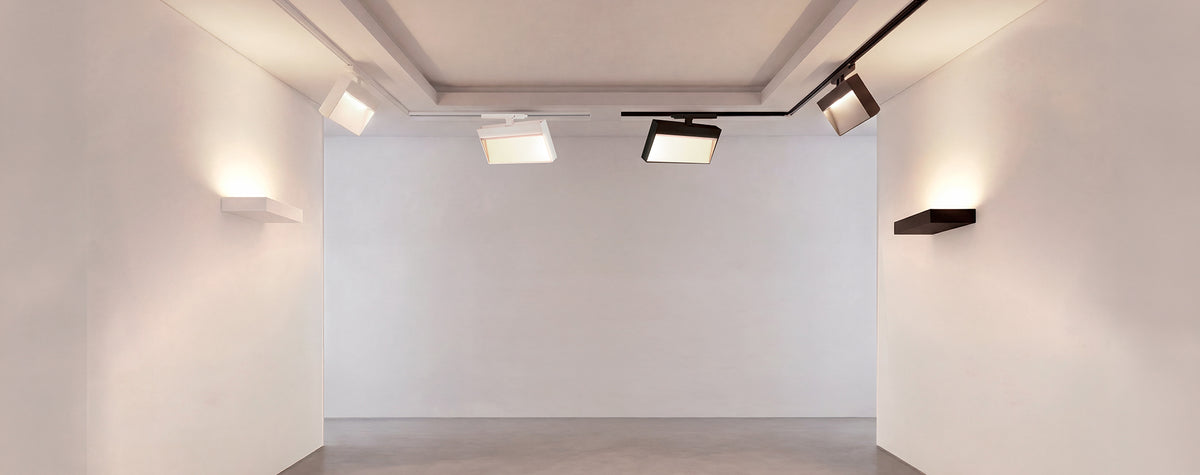
Design your track layout with Faro's three-circuit track system.
Use the configurator below to build your design, then save, share or print it for later, request a quote for your project, or add everything straight to your cart.
Track configurator
Is this track system right for you?
Faro's three-phase track is a 3-circuit, Global-type track. It suits homes and commercial spaces where you want flexible spotlights and more than one lighting zone.
It's a great fit if you want to:
- Run up to three lighting zones on one track. Each spotlight's adapter picks one of three circuits, so groups of lights can be switched separately.
- Choose from a wide range of spotlights. Fost, Linse, Blit wall washers, Via Evo linear lights and the decorative Stan and Leo, in black or white.
- Pick your colour, beam and control. 2700 K, 3000 K or 4000 K, narrow to wide beams, and On/Off, TRIAC (Fost ø50 to ø70, or Stan and Stan Slim with a dimmable GU10 lamp) or DALI dimming.
- Build a custom shape. Straight runs, inner and outer corners, T joints and cross joints. Use a Centre Feed to close a loop.
Think twice if you need:
- More than 16 A on one track. All three circuits together are limited to 16 A (about 3,680 W). The configurator checks the total load.
- DALI with T or cross joints. The DALI version of the track has no T or cross joints, so DALI layouts are straight runs and corners.
- A DIY install. The track is mains voltage, so it must be installed by a licensed electrician.
- Casambi wireless control. Casambi versions are available on request. Use Request a quote and tell us.
Not sure yet?
Build a design below and use Request a quote. We'll check the layout and power load with you before you buy.
Not sure where to start?
1Dimming, installation and finish
Start here: how will the lights be controlled? This decides the track and which lights you can use.
2Lay out your track
Earth side of the track (yellow)I inner, O outer joint, as in Faro's catalogue. Plan view: this drawing looks down on the ceiling layout from above, so the top of the drawing is the top of the plan (not a compass direction). Grid squares are 0.5 m. Track cannot run into other track. To close a loop, such as a rectangle, start with a Centre Feed. Left and right for connectors are as you follow the track away from the power feed. Inner and outer live ends, corners and T joints are chosen from the earth side, following Faro's example layout (catalogue p.68).
3Add your lights
Pick a light to choose its finish, colour, beam and add-ons, then add it to your design. Everything you add is listed under Your lights, where you can change its circuit, edit it or remove it. Casambi versions are available on request.
4Place them on your plan (optional)
Lighting techniques
Start from the way you want to light the space. Each technique sets out the rule of thumb lighting designers use, with a Faro layout that follows it. Open one to see it on the plan, in 3D and as light levels, then change the track and lights to suit your room.
Details of your current design
Your parts
Request a quote
Your specification is attached to the message. We'll check it with you and come back with a quote.
Save, print or share your design
Saved designs stay in this browser on this device. To open a design on another device, or send it to someone, use the link. Your latest design is also kept automatically.